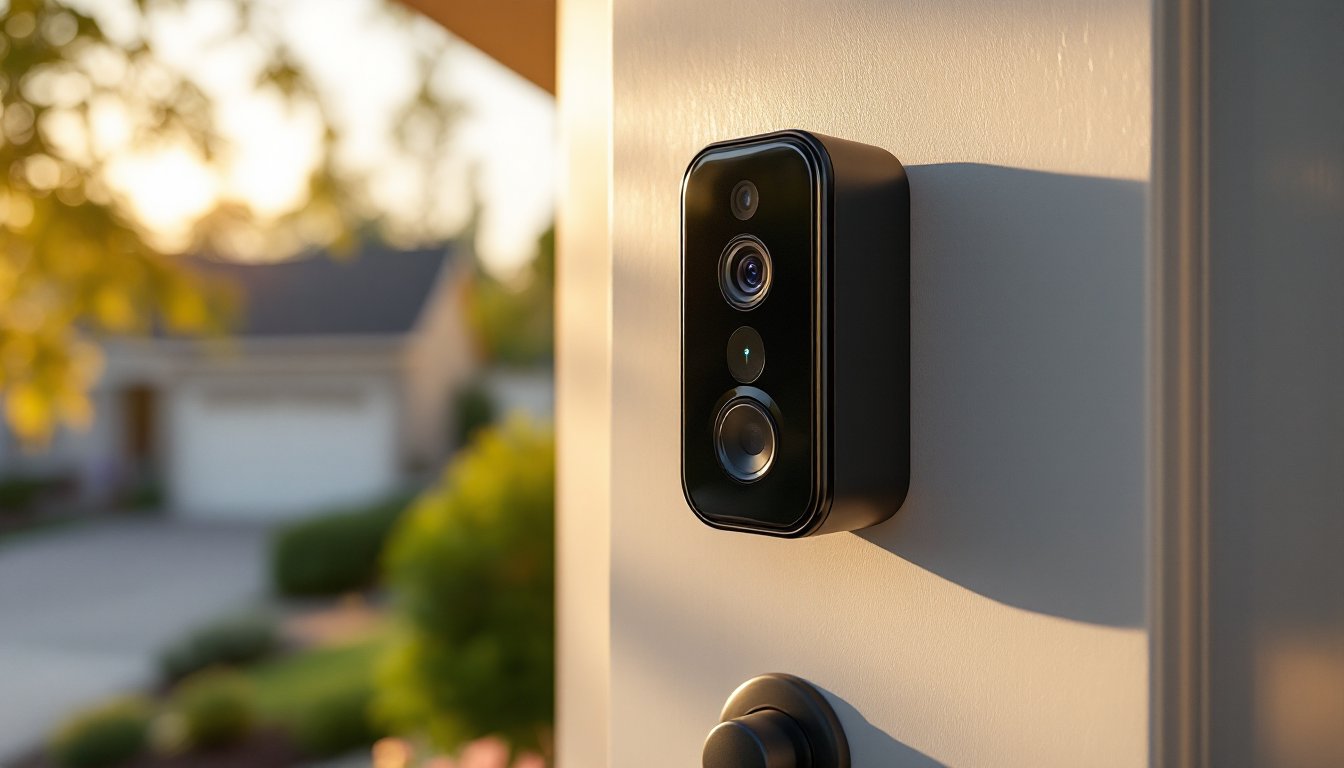
A 4K doorbell camera transforms your front entrance into a security nerve center, capturing crystal-clear footage that lets you see who’s at the door from anywhere on your phone. Unlike standard HD models, 4K doorbell cameras deliver four times the resolution, which means facial recognition becomes viable, package thieves become identifiable, and you stop squinting at grainy footage. Whether you’re protecting a new home or upgrading an aging wired system, understanding what separates a worthwhile 4K doorbell from an overpriced gimmick is essential. This guide walks you through the features that matter, what to look for before you buy, and how to handle the installation, even if your house has no existing doorbell wiring.
Table of Contents
ToggleKey Takeaways
- A 4K doorbell camera delivers four times the resolution of standard HD models (3840×2160 pixels), enabling facial recognition, license plate identification, and clear package detection from anywhere on your phone.
- Motion-triggered 4K recording is more practical than continuous recording for most homes, balancing high resolution with manageable cloud storage and bandwidth demands.
- WiFi connectivity is critical—aim for at least 2.5 Mbps upload speed at your door, preferably 5+ Mbps, and test signal strength before installation to avoid streaming issues.
- Hardwired 4K doorbell cameras leverage existing 16–24 VAC doorbell transformers for power, making installation straightforward if your home already has wiring; battery models offer flexibility but require regular charging.
- Smart home integration and app quality vary significantly between brands—download and test the app before buying to verify latency, live stream reliability, and storage options.
- Plan your storage strategy upfront, as free cloud tiers typically offer only 24 hours of rolling footage, and paid plans ($3–$10/month) add up quickly.
What Makes 4K Doorbell Cameras Worth the Investment
A 4K doorbell camera delivers 3840×2160 pixel resolution compared to 1920×1080 on most HD models. That extra detail isn’t just marketing, it’s the difference between reading a license plate from ten feet away and guessing at a few characters. In real security scenarios, recognizing a visitor’s face or spotting a package left behind your garbage can matters.
The jump in resolution also improves digital zoom without mushiness. You can crop into a section of footage after recording and still retain usable detail. This becomes especially valuable if your driveway is deep or your porch has multiple entry points.
That said, 4K cameras demand more: larger cloud storage, faster WiFi bandwidth (ideally 5 GHz), and consistent power, either hardwired or a robust battery. Older homes with 10-year-old routers or spotty WiFi near the door should address connectivity first. Ring’s latest 4K doorbell announcement highlights how modern 4K models now pair AI features with high resolution, making these cameras smarter than ever. The cost, typically $300–$500 for quality models, also sits higher than basic HD alternatives, so weigh whether your neighborhood risk profile and storage commitment justify it.
Key Features to Look For When Selecting a 4K Doorbell Camera
Resolution and Video Quality Standards
True 4K resolution (3840×2160) is non-negotiable if resolution is your buying driver. But, check whether the camera records 4K continuously or only when motion-triggered. Continuous 4K recording burns through cloud storage and bandwidth: motion-triggered 4K is more practical for most homes. Look for models that offer adjustable frame rates, 30 fps (frames per second) is standard, but some cameras allow lower rates to save bandwidth.
Night vision quality matters equally. Many 4K cameras use infrared (IR) LEDs that work well out to 15–20 feet, but some offer color night vision using larger sensors and increased light sensitivity. Compare side-by-side footage if you can: the difference between grayscale IR and color night vision at dusk is substantial.
Also check the field of view (FOV). Most doorbell cameras offer 160°–180° horizontal FOV. Wider isn’t always better, too wide and facial details compress at distance, but ensure the camera covers your porch and part of your driveway.
Smart Integration and App Compatibility
Your 4K doorbell should integrate with your existing smart home ecosystem. If you use Amazon Alexa, choose a model that works natively with it, many now offer two-way talk directly through Alexa devices. Google Home users should verify compatibility before buying: not all 4K cameras support it equally.
The mobile app is where you’ll spend time daily. Download the maker’s app before you buy and test it on your phone, latency, layout, and reliability vary wildly. Can you watch live streams smoothly? Is video history searchable and exportable? Some brands offer local storage (a microSD card in the camera itself), which bypasses cloud costs but requires a wired doorbell.
Smart home device reviews on CNET often compare doorbell apps side-by-side, which can help narrow choices. Storage options, cloud, local, or hybrid, are critical. Free cloud tiers often give only 24 hours of rolling footage: paying for extended storage ($3–$10/month) adds up fast across multiple cameras.
Installation Tips for DIY Homeowners
Before you unbox anything, assess your current setup. If you have a hardwired mechanical doorbell (common in homes built before 2000), you’ll use its existing 16–24 VAC transformer to power a 4K camera. If you have no doorbell or only a battery-powered chime, you’ll install a battery-backed camera or run new low-voltage wiring, the latter is more involved.
For hardwired installation, turn off power to the doorbell circuit at your breaker panel. Use a voltage tester to confirm power is off, then disconnect the old doorbell. Most 4K cameras provide a wiring diagram: typical colors are red (power), white (common/neutral), and copper or black ground. Strip about half an inch of insulation from each wire and connect them using push-fit terminals or wire nuts as specified by your camera’s instructions. Double-check connections before restoring power.
If you’re running new wiring, you’ll need low-voltage wire (typically 18–20 gauge, rated for outdoor use). Run it through conduit or drill holes carefully to avoid nails and plumbing. Many municipalities require permits for electrical work: check your local code before starting. Some cable company truck rolls will damage new wiring accidentally, so timing and documentation matter.
WiFi strength at the door is critical. Before drilling holes or removing your old doorbell, do a speed test at the front entrance using your phone. You need at least 2.5 Mbps upload speed for reliable 4K streaming: 5+ Mbps is ideal. If your signal is weak, move your router closer to the door, add a mesh WiFi node outside, or reconsider a wired camera with local storage, which reduces cloud upload demands.
Home automation reviews on Digital Trends include installation walkthroughs for specific models: bookmark them for your brand before you start. Finally, test everything, live view, motion alerts, night vision, before you reinstall trim or return your old doorbell to storage. A 15-minute test beats troubleshooting through your closed door for the next month.
Conclusion
A 4K doorbell camera gives you genuine security advantage, crisp detail, reliable identification, and peace of mind, if your home’s WiFi, power, and storage capacity can support it. Don’t buy 4K just for the megapixels: buy it because your environment benefits from clarity at distance. Hardwired installation is straightforward if you have existing wiring: battery operation offers flexibility but requires discipline about charging. Test your WiFi signal first, plan your storage strategy early, and don’t hesitate to hire an electrician if running new wiring feels outside your comfort zone. Done right, a 4K doorbell is one of the smartest upgrades a homeowner can make.